


DRAGON BALL XENOVERSE PC SAVE GAME 100%

SAVEGAME – ONE FTP LINK – TORRENT
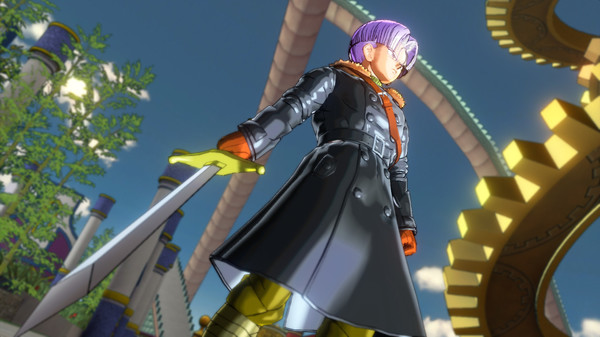
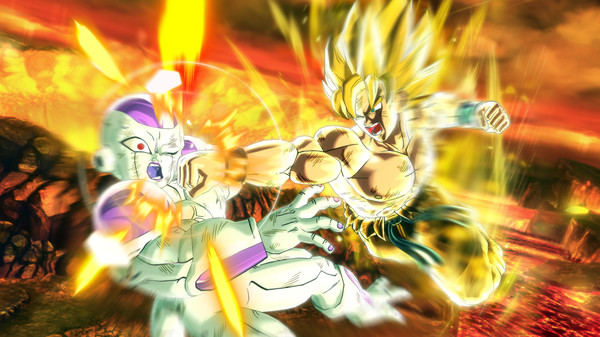
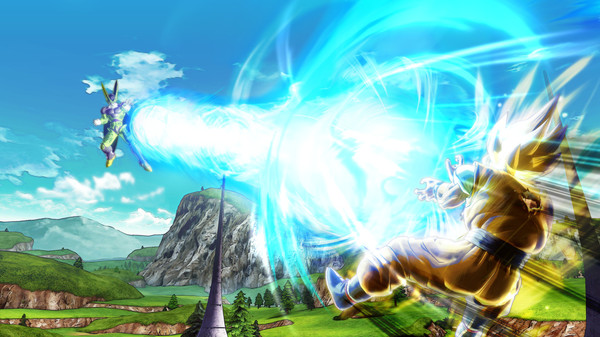
DRAGON BALL XENOVERSE revisits famous battles from the series through your custom Avatar, who fights alongside Trunks and many other characters….
ABOUT THE GAME
DRAGON BALL XENOVERSE revisits famous battles from the series through your custom Avatar, who fights alongside Trunks and many other characters. Will the strength of this partnership be enough to intervene in fights and restore the Dragon Ball timeline we know? New features include the mysterious Toki Toki City, new gameplay mechanics, new character animations and many other amazing features to be unveiled soon!
Title of the game : Dragon Ball Z: Xenoverse
Publisher : Bandai Namco Games
Developer : Dimps
Save game status : 100% Complete
Platform : PC Games
How to Instal Dragon Ball Xenoverse Save Game (Installation Location):
1. Unrar the file in the game folder bellow Dragon Ball Z: Xenoverse Save Game Location
C:\Users\username\AppData\Roaming\Steam\CODEX\323470
or
(Steam Program Folder) \ Steam\ userdata\ [steam user id number] \ 323470
Dragon Ball Xenoverse PC Save Game 100%
SIZE: 6 KB
——————————-
ZIPPYSHARE
| Dragon Ball.Xenoverse.PC-Save.Game.100%.rar |
SENDSPACE
| Dragon Ball.Xenoverse.PC-Save.Game.100%.rar |
UP07
| Dragon Ball.Xenoverse.PC-Save.Game.100%.rar |
GO4UP
| Dragon Ball.Xenoverse.PC-Save.Game.100%.rar |
JHEBERG
| Dragon Ball.Xenoverse.PC-Save.Game.100%.rar |
MULTI LINKS
| Dragon Ball.Xenoverse.PC-Save.Game.100%.rar |
OTHER LINKS
| Dragon Ball.Xenoverse.PC-Save.Game.100%.rar |
Enjoy
MINIMUM:
- OS: Windows Vista (x64) / Windows 7 (x64)
- Processor: Intel Core 2 Duo 2.4Ghz / AMD Athlon 64 X2 5200+, 2.6GHz
- Memory: 1 GB RAM
- Graphics: 512 MB Nvidia GeForce 8800 / ATI Radeon HD 3870
- DirectX: Version 9.0c
- Network: Broadband Internet connection
- Hard Drive: 10 GB available space
RECOMMENDED:
- OS: Windows Vista (x64) / Windows 7 (x64) / Windows 8 (x64)
- Processor: Intel Core i3-530, 2.93 GHz / AMD Phenom II X4 940, 3.0GHz
- Memory: 4 GB RAM
- Graphics: 1 GB Nvidia GeForce GTX 550Ti / AMD Radeon HD 6790
- DirectX: Version 9.0c
- Network: Broadband Internet connection
- Hard Drive: 10 GB available space

| Dragon Ball Xenoverse PC Save Game 100% 1. Unrar the file in the game folder bellow Dragon Ball Z: Xenoverse Save Game Location C:\Users\username\AppData\Roaming\Steam\CODEX\323470\remote or (Steam Program Folder) \ Steam\ userdata\ [steam user id number] \ 323470 |


Leave a Reply